Live-Vorschau, intelligente Codevervollständigung und sofortige Fehlerprüfung — in einer Oberfläche, die sich anfühlt wie Office, nicht wie ein Terminal. Live preview, smart code completion, and instant error checking — in an interface that feels like Office, not a terminal.
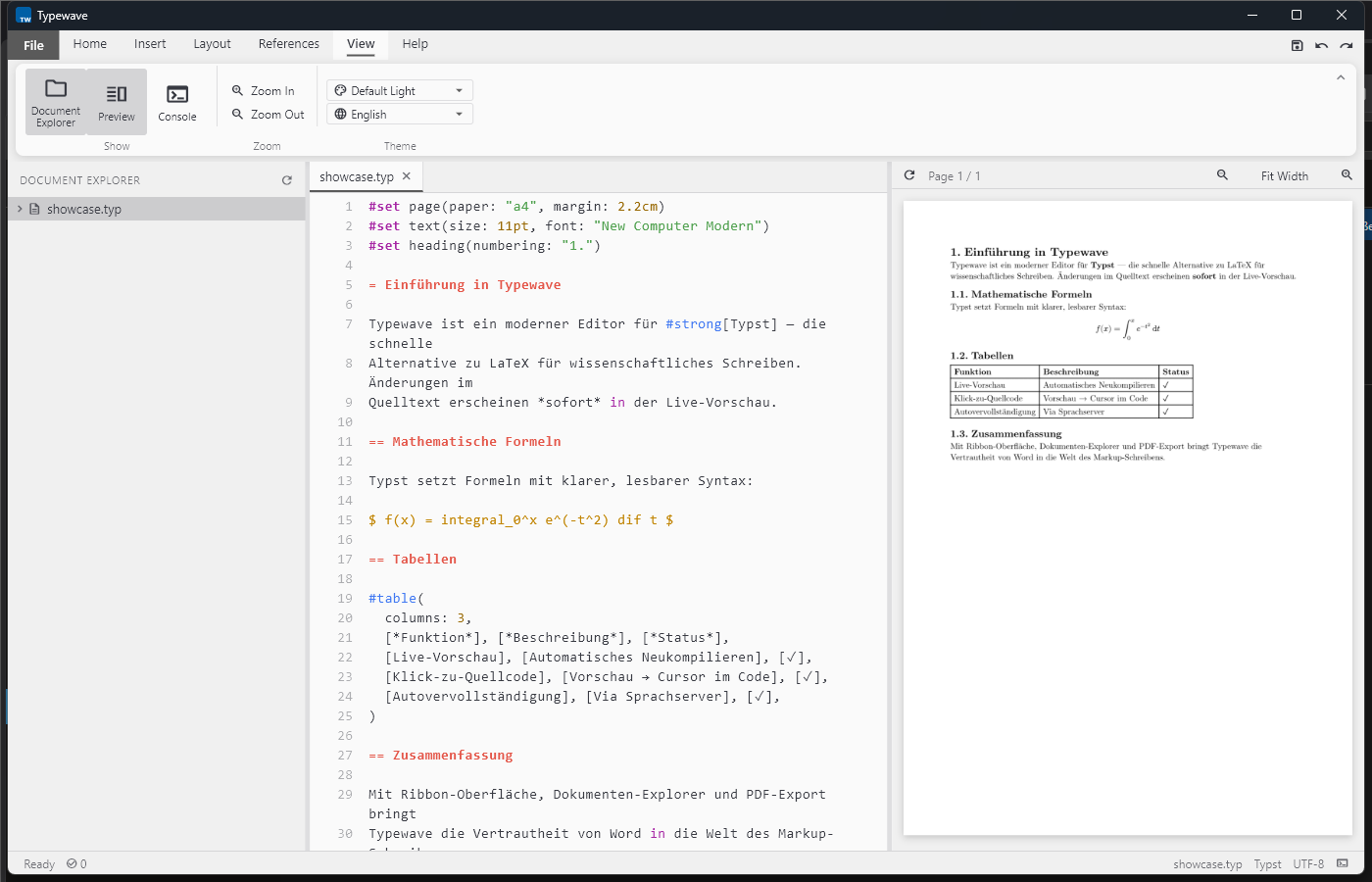
Kein Wechsel zwischen Editor und PDF-Betrachter mehr — und kein Nachschlagen von Syntax. No more switching between editor and PDF viewer — and no more looking up syntax.
Dein Dokument wird beim Schreiben automatisch neu kompiliert und direkt daneben angezeigt. Your document recompiles automatically as you type and appears right next to it.
Ein Klick in die Vorschau springt an die passende Stelle im Code. A click in the preview jumps straight to the matching spot in the code.
Intelligente Vorschläge für Typst-Syntax, Funktionen und Parameter, während du schreibst. Smart suggestions for Typst syntax, functions, and parameters as you type.
Fehler werden direkt im Text und in der Randspalte markiert — bevor du kompilierst. Errors are flagged right in the text and in the margin — before you even compile.
Parameter von #rect(), #table() & Co. per Formular bearbeiten statt Syntax nachzuschlagen. Edit the parameters of #rect(), #table() & co. through a form instead of looking up syntax.
Word-ähnliches Menüband für Formatierung, plus Dokumenten-Explorer mit Gliederungsansicht. A Word-like ribbon for formatting, plus a document explorer with an outline view.
Ein Ribbon-Menüband für alle gängigen Formatierungen — Tabellen, Bilder, Verweise und mehr — statt Syntax im Kopf zu behalten. One ribbon for all the common formatting — tables, images, references, and more — instead of keeping syntax in your head.
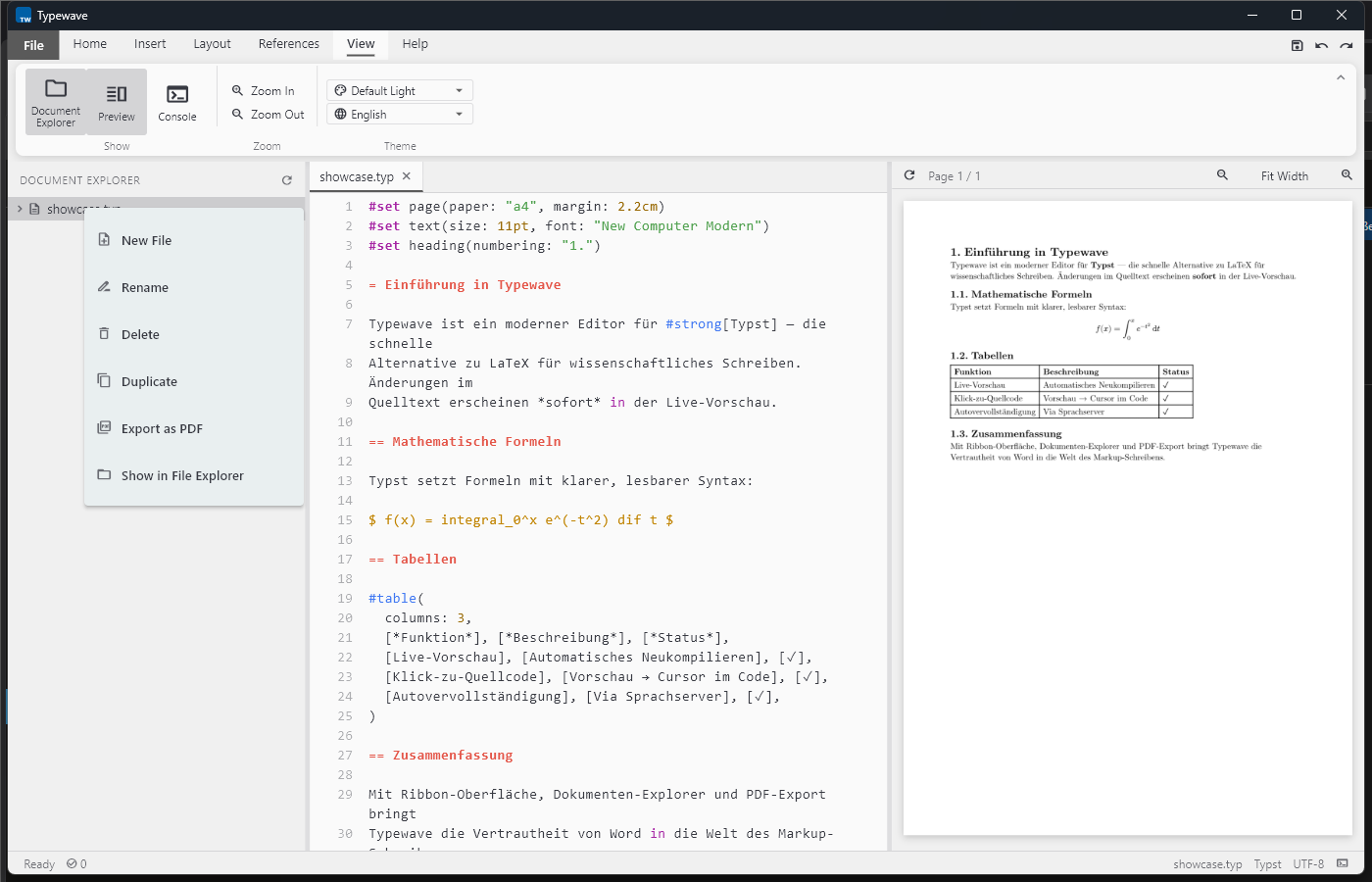
Der Dokumenten-Explorer zeigt dein Projekt als Gliederung: Dateien umbenennen, duplizieren und einzeln als PDF exportieren, ohne die Übersicht zu verlieren. The document explorer shows your project as an outline: rename files, duplicate them, and export them individually as PDF, without losing the overview.
#rect(width: 80%,fill: rgb(#eef2f4),radius: 6pt,)[ ... ]
Rechtsklick auf ein Element wie #rect() oder #table() öffnet einen Dialog mit allen verfügbaren Parametern — bequem bearbeitbar per Formular, direkt im Code sichtbar.
Right-clicking an element like #rect() or #table() opens a dialog with all available parameters — conveniently editable through a form, visible directly in the code.
Reproduzierbar und versionierbar wie LaTeX, so zugänglich wie Word. Reproducible and versionable like LaTeX, as accessible as Word.
„Ich habe Typst über die Kommandozeile geschrieben, bis ich Typewave gefunden habe. Die Vorschau neben dem Code und die Parameter-Dialoge sparen mir bei jeder Abgabe Zeit — ohne dass ich auf reproduzierbare, versionierbare Dateien verzichten muss." "I used to write Typst from the command line until I found Typewave. The preview next to the code and the parameter dialogs save me time on every submission — without giving up reproducible, versionable files."
Keine Abo-Falle, keine versteckten Kosten. Die Typst-Kompilierumgebung ist enthalten. No subscription trap, no hidden costs. The Typst compilation environment is included.